Set up the brand

Write the site's colours, type and voice down once, so every change fits the rest.

Before you start The assistant connected for the voice guide and for reading your material (colours and type are measured without it).

  1. Open Brand in the sidebar and press Read it from this site.

    You’ll see: It measures a few pages in the preview and reads the site's styles; nothing about the site changes.

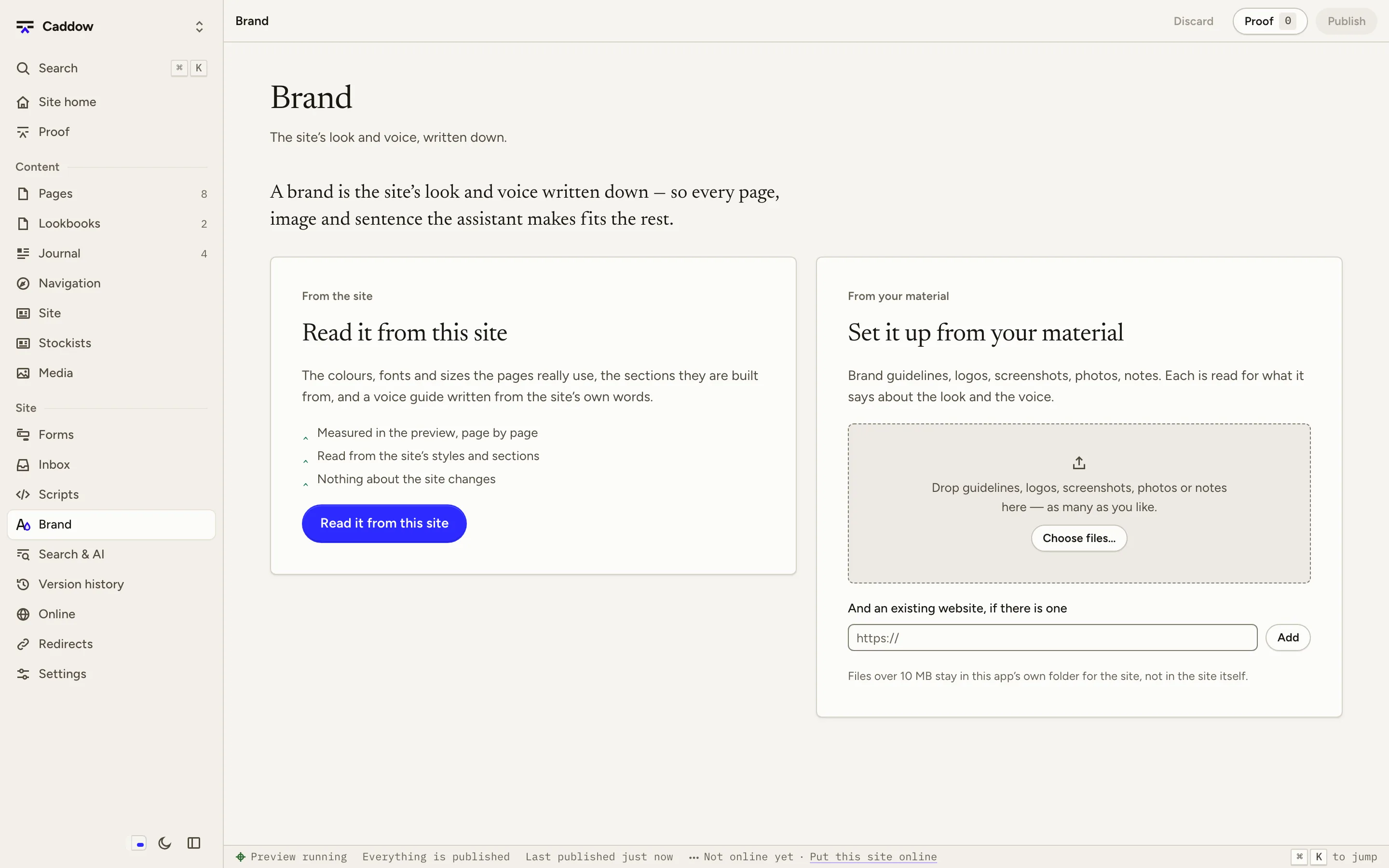
    The Brand screen for Caddow before anything is written down: Read it from this site on the left, and on the right Set it up from your material, with a drop area for guidelines, logos, screenshots, photos or notes and a box for an existing website.
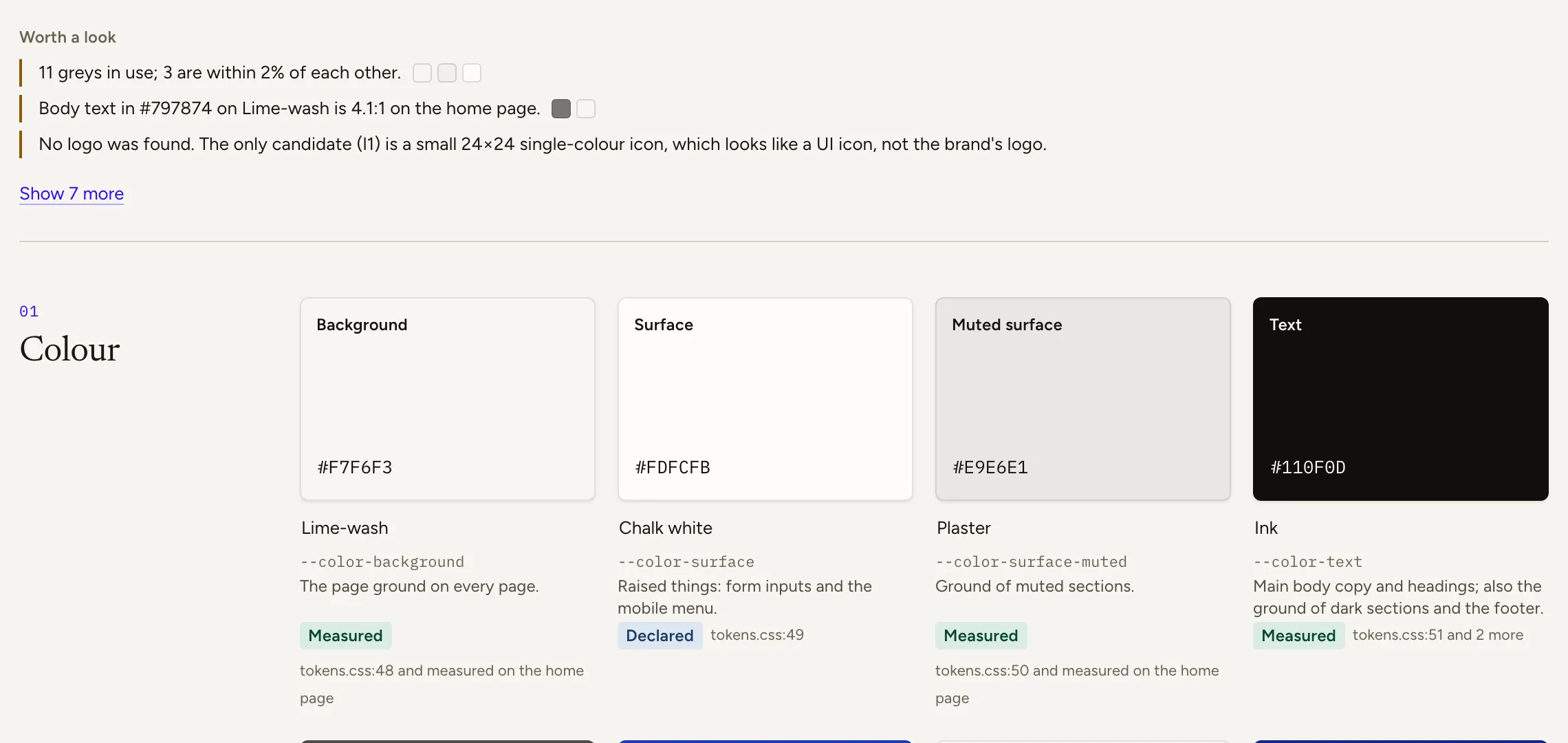
  2. Check the proposal. Each colour, font and size says where it came from and whether it was Measured on the pages or Declared in the styles; Worth a look lists anything odd. Click any name, value or colour to change it.

    The proposal read from Caddow: Worth a look notes (greys that are nearly the same, body text contrast on the home page, the logo), and the first colours — Lime-wash, Chalk white, Plaster and Ink — each with its role, value, where it was found and Measured or Declared.
  3. Read the Voice: written by the assistant from the site's own words, with real lines from the pages as examples.

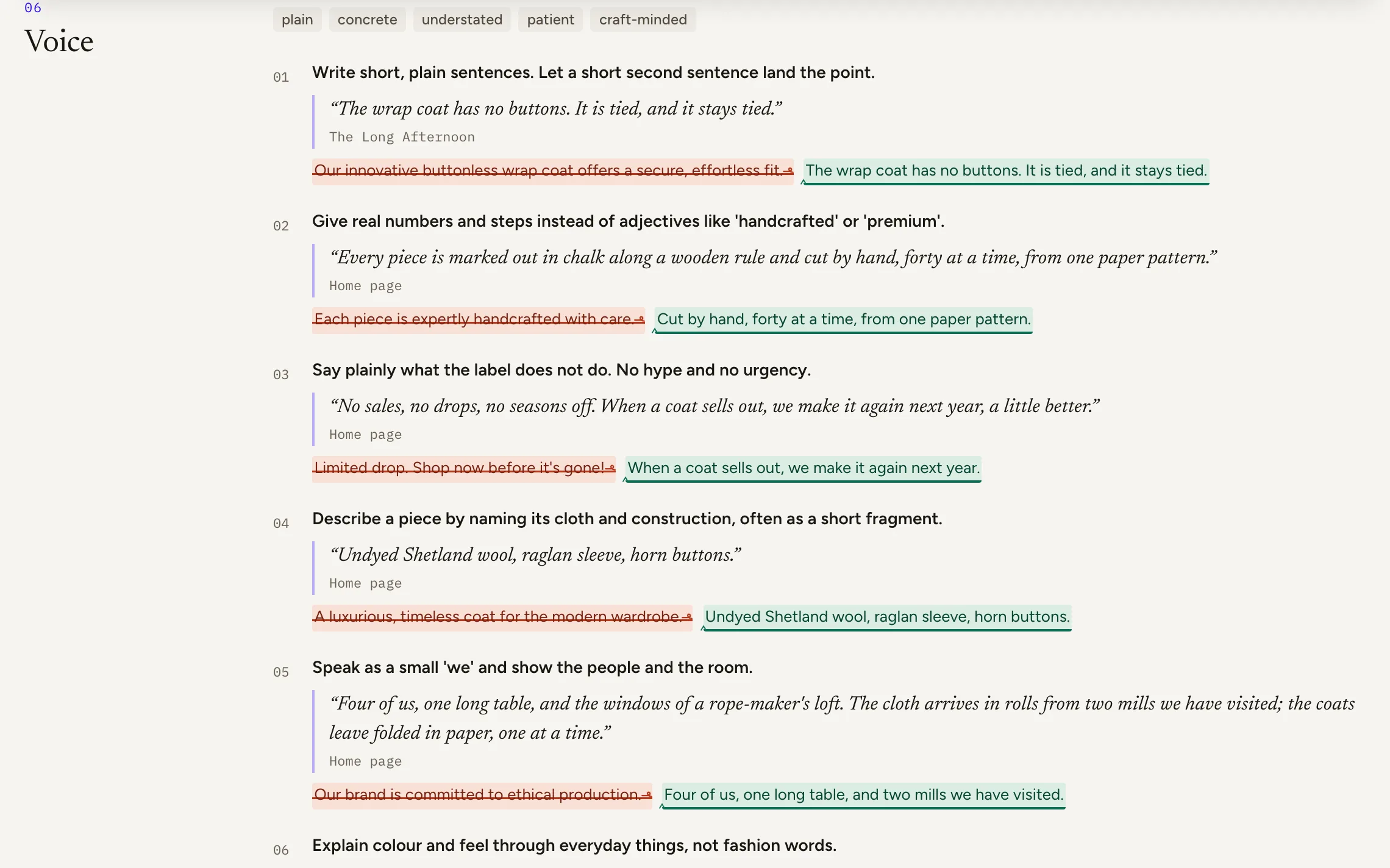
    The Voice part of the proposal: a few words for the voice, then numbered rules, each with a line quoted from the site, and most with a struck-through example of what not to write beside the better one.
  4. Under Material, drop brand guidelines, logos, screenshots or notes — or press Choose files… — add a note to each, and press Add 3 files.

    You’ll see: Each file says what it can be read for. Read them (at the top) has the assistant read them for the look and the voice.

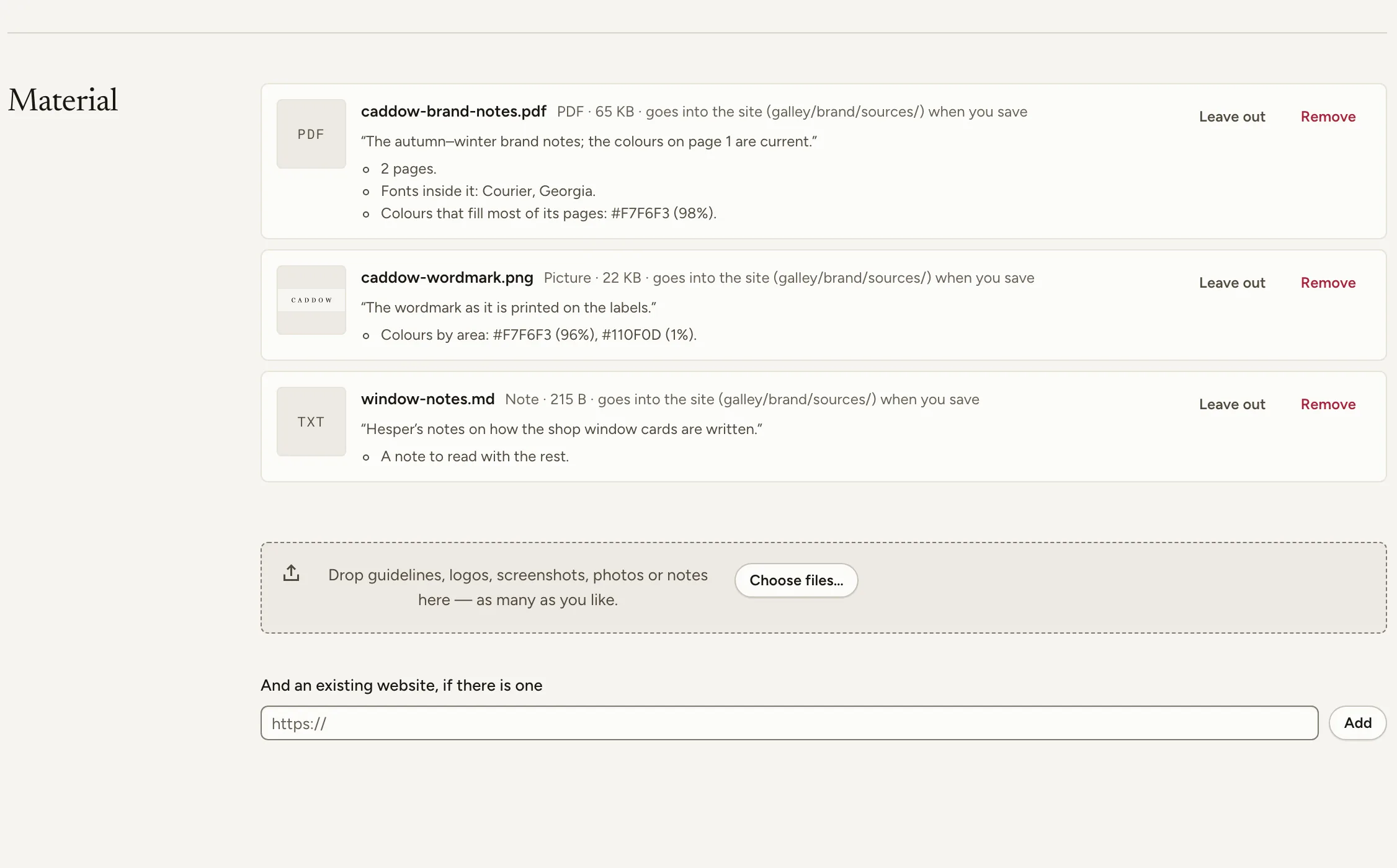
    The Material part of the brand: caddow-brand-notes.pdf (2 pages, the fonts and colours inside it), caddow-wordmark.png (its colours by area) and window-notes.md (a note to read with the rest), each saying it goes into the site (galley/brand/sources/) when you save, with its note in quotes and Leave out and Remove; below, the drop area and Choose files….
  5. Press Save the brand.

    You’ll see: The brand is written into the site as changes waiting in Proof; publish them to keep it. From then on the assistant writes in the site's voice and uses its colours by name.
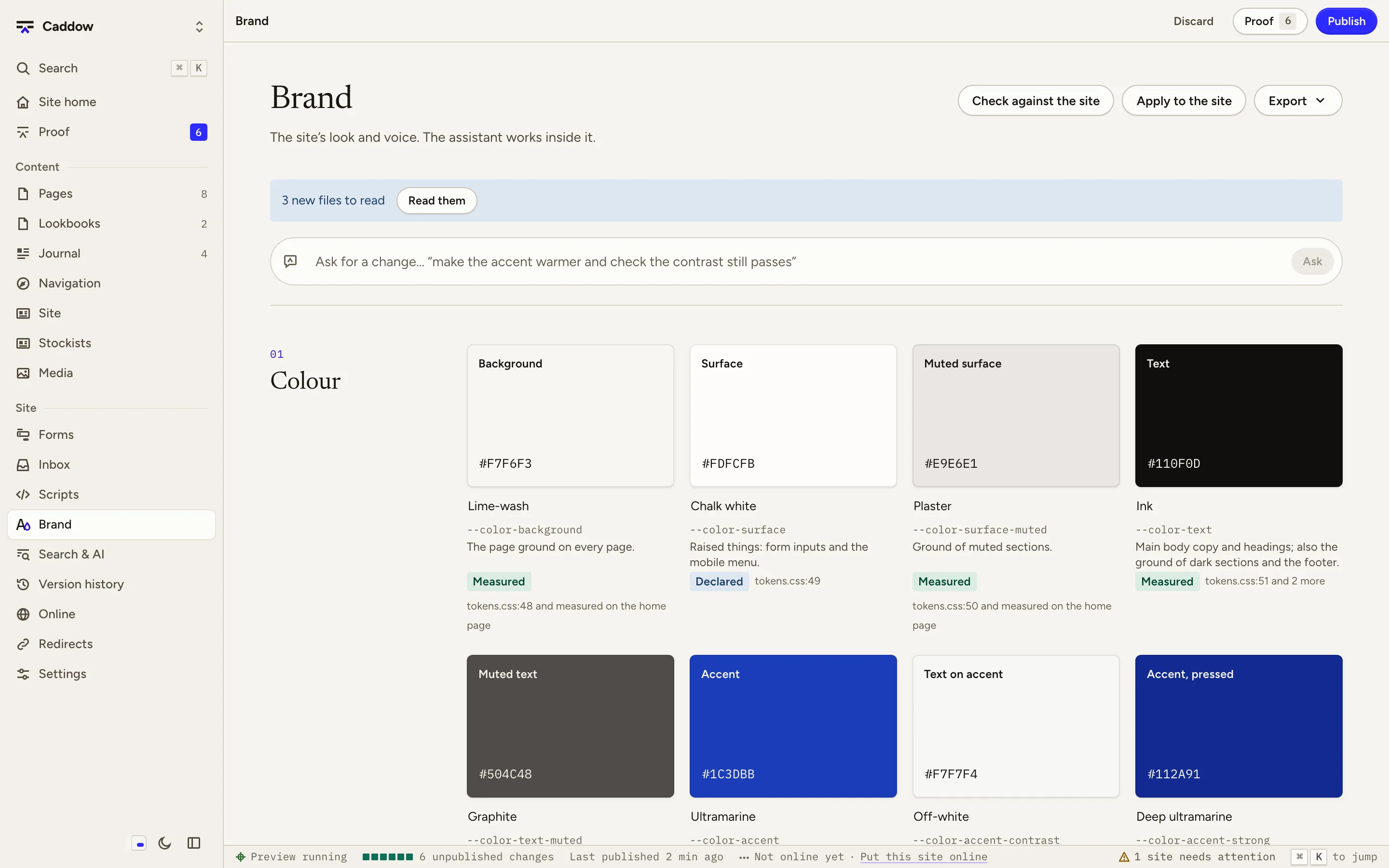
    The saved brand for Caddow: The site’s look and voice. The assistant works inside it. A note says 3 new files to read, with Read them; Proof in the top bar counts 6 changes — the brand and its material — and the colours follow below.