Themes
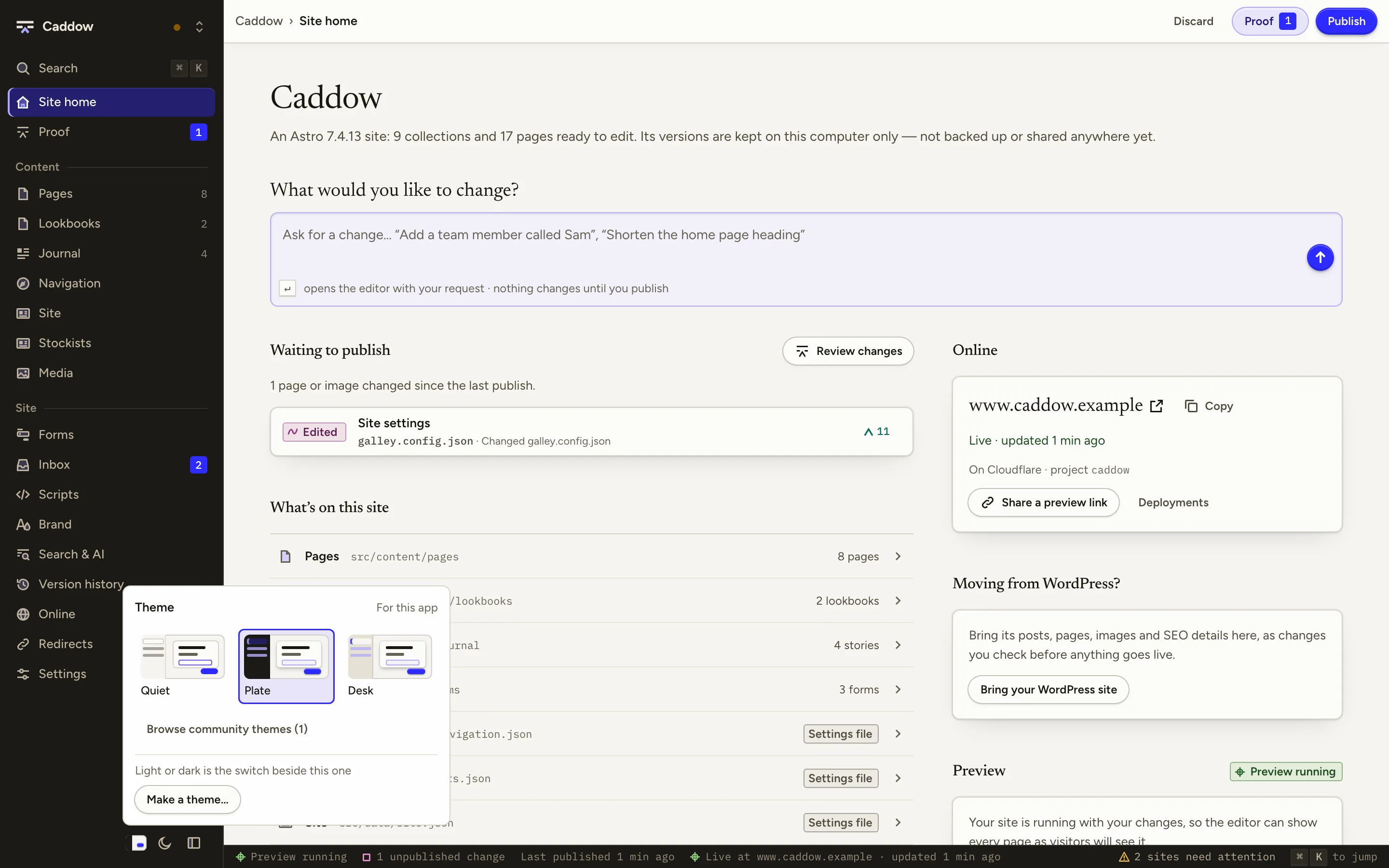
Galley’s editing app comes in Quiet, its own look, and in themes: Plate, Desk, and ones people make. A theme is a small file of colors and choices. It changes the app, never your site.
Quiet
Comes with the app · the default · paper sidebarBond paper and printing ink; the Blue Pencil marks only the action and where you are. Galley's own look.Download QuietPlate
Comes with the app · plate sidebarThe sidebar and status line are an inked plate, the current place in Blue Pencil; the assistant works on pencil-washed paper; things stand off the page.Download PlateDesk
Comes with the app · desk sidebarLike Plate, on a toned desk instead of the plate: the sidebar a real step darker than the page, the current place a sheet with a pencil edge.Download DeskHarbour
By Galley · paper sidebarA cooler, bluer Quiet: faintly cool paper, blue-black ink and a teal pencil. The worked example in brand/themes/README.md.Download Harbour
Use one, make your own
- Choose one with the small swatch beside light and dark, at the foot of the app’s sidebar. A downloaded file goes in with Import… in Settings › Themes.
- Make your own from any theme: Settings › Themes › Make a theme from this one. The app checks every theme stays readable and says what it adjusted.
- Share it: Share with the community opens GitHub with your theme filled in, to propose for this page. More in the docs.