Add many redirects at once
Paste a whole list of old addresses and let the checks catch the mistakes before any visitor does.
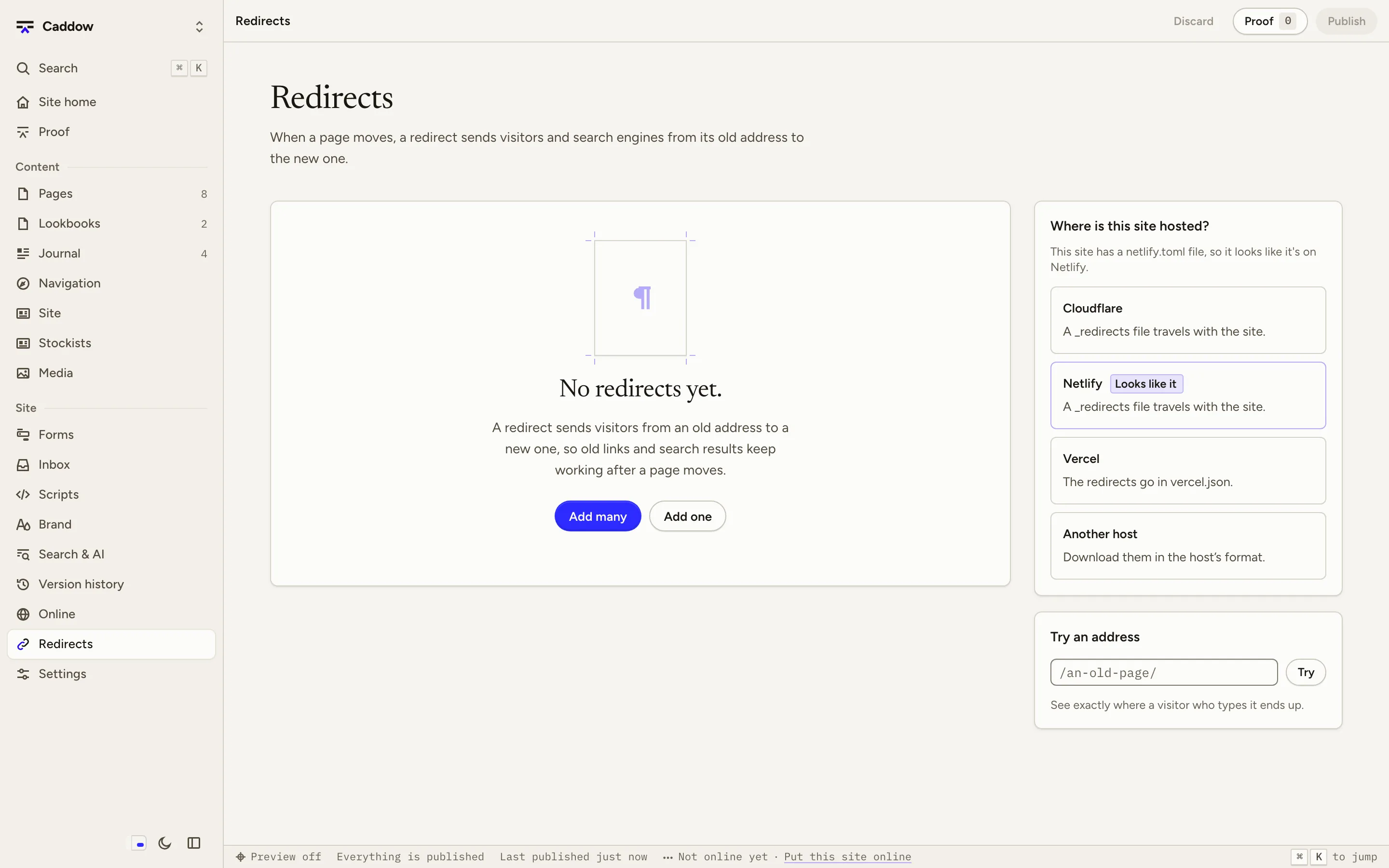
Open Redirects in the sidebar and press Add many.
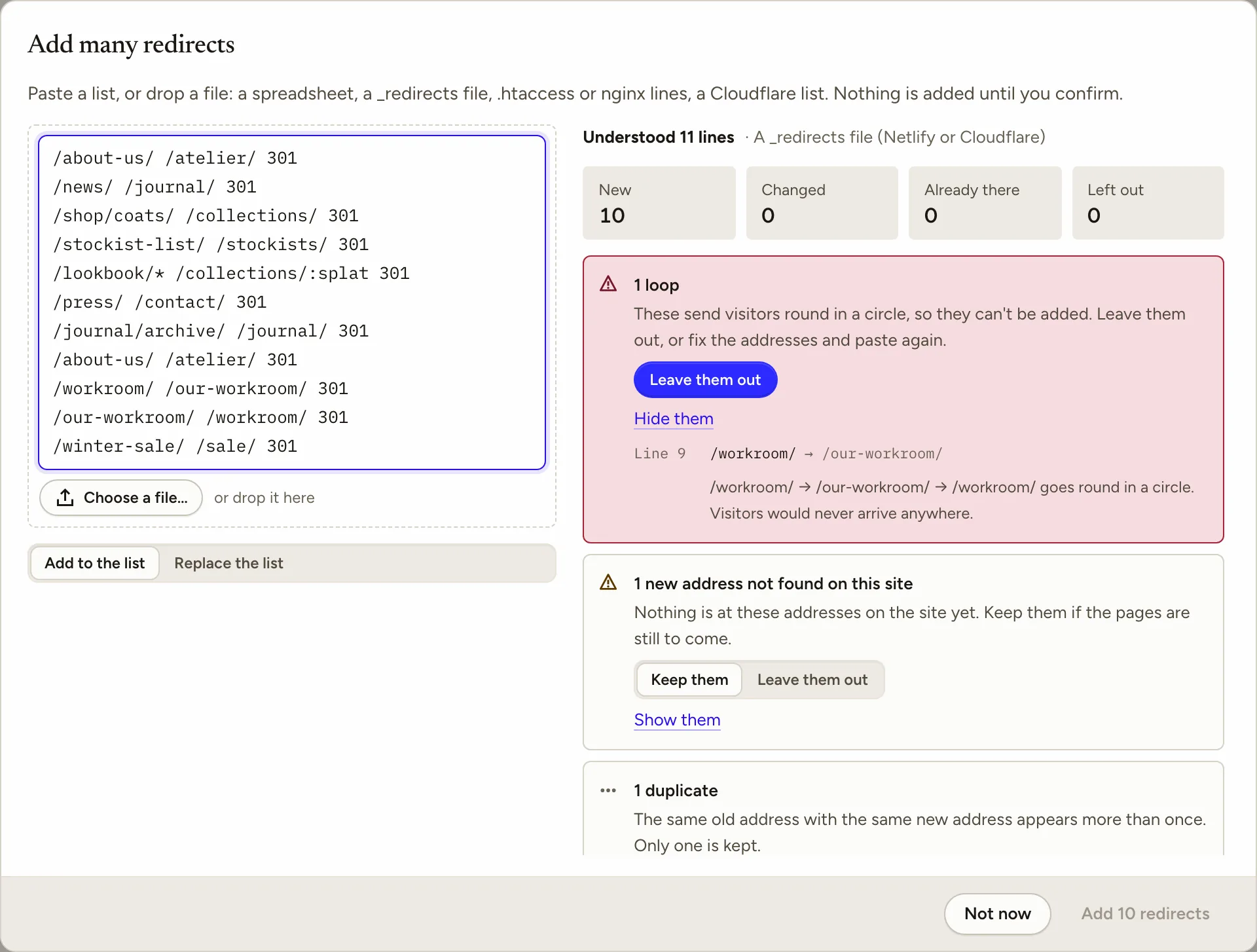
Paste your list — two columns from a spreadsheet, a _redirects file, .htaccess or nginx lines — or press Choose a file….
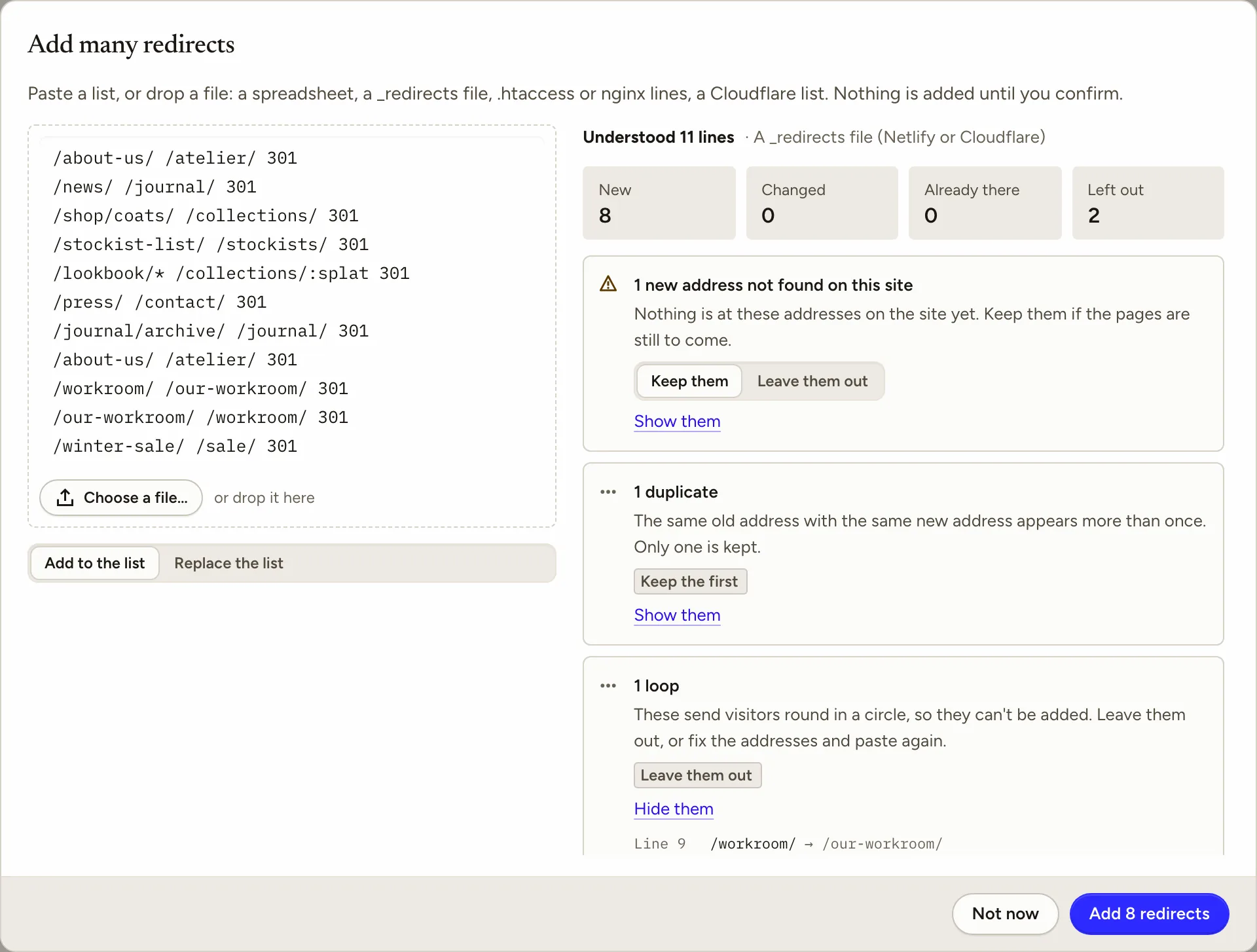
You’ll see: It shows straight away what it understood, and stops on anything that would go wrong: here a loop, a duplicate and an address that isn't on the site yet.
Press Leave them out for the loop, decide about the rest (Keep them keeps an address whose page is still to come), then press Add 8 redirects (the number is yours).
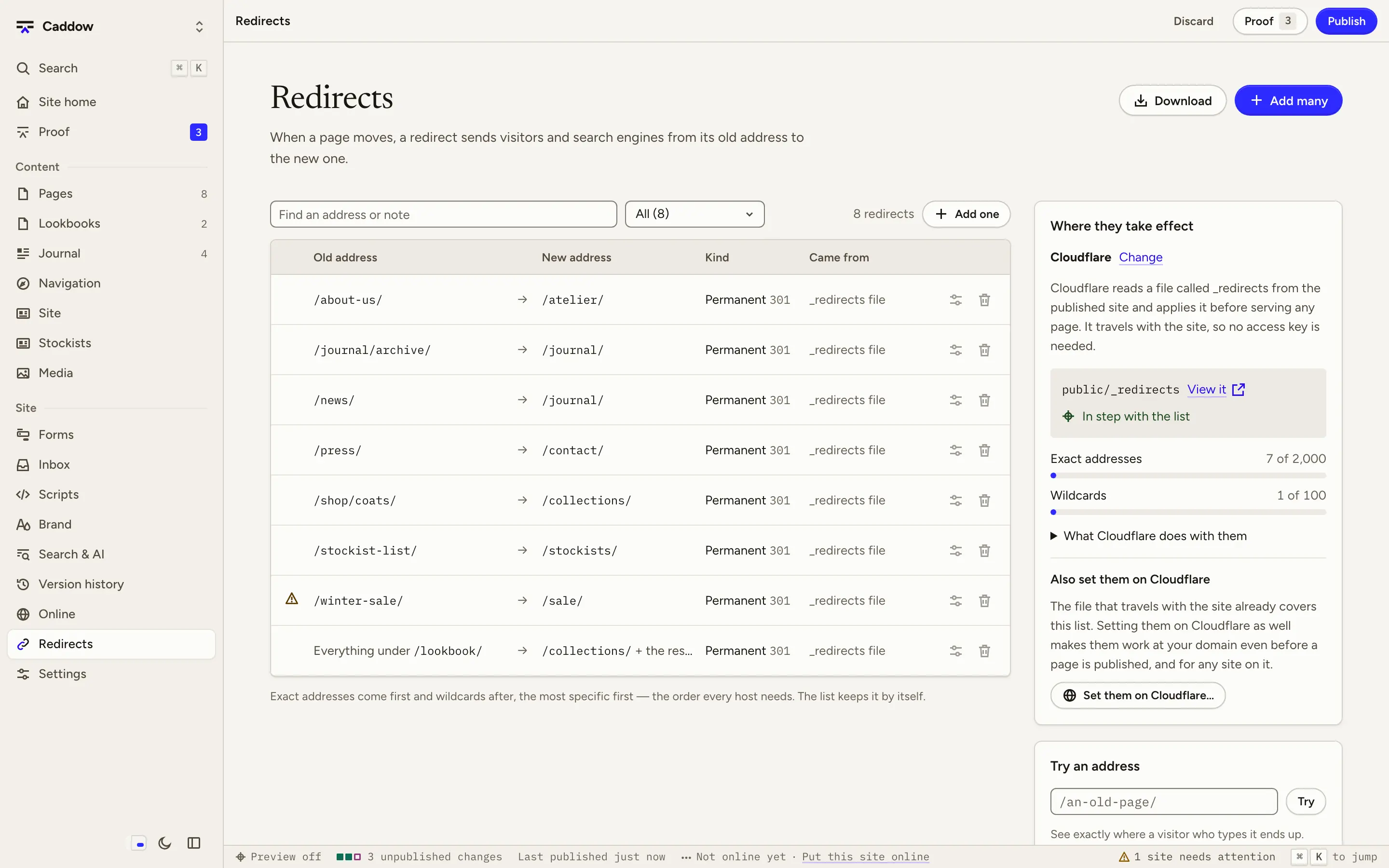
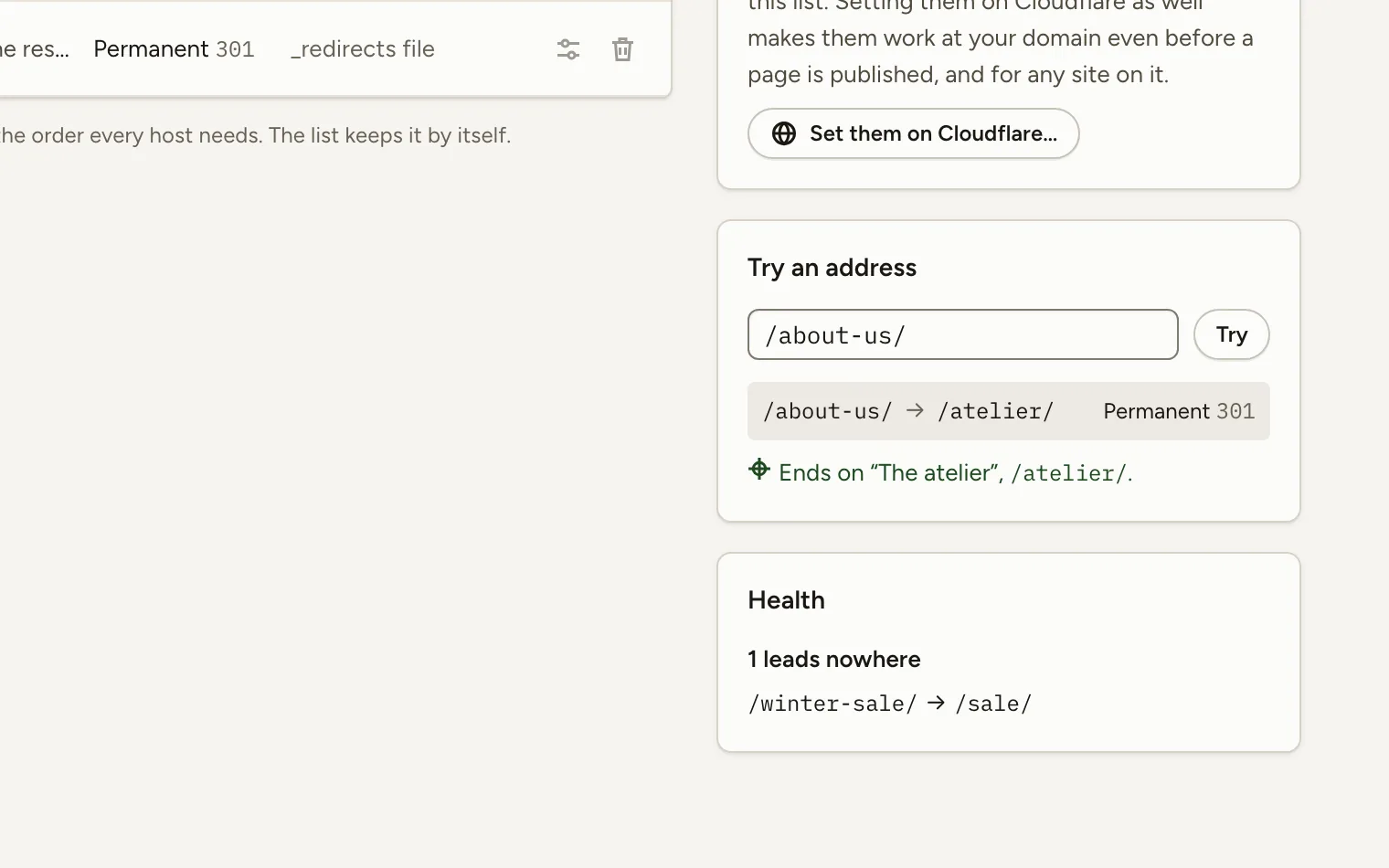
Check the list. A warning sign marks a redirect that leads nowhere yet; Health lists it too.
You’ll see: The whole list waits in Proof, with the host's own redirects file kept in step beside it.
Type an old address under Try an address and press Try.
You’ll see: It shows every step a visitor takes and the page they end on.