Check, publish and undo

See every change before it goes live, keep only the ones you want, and take a publish back if you need to.

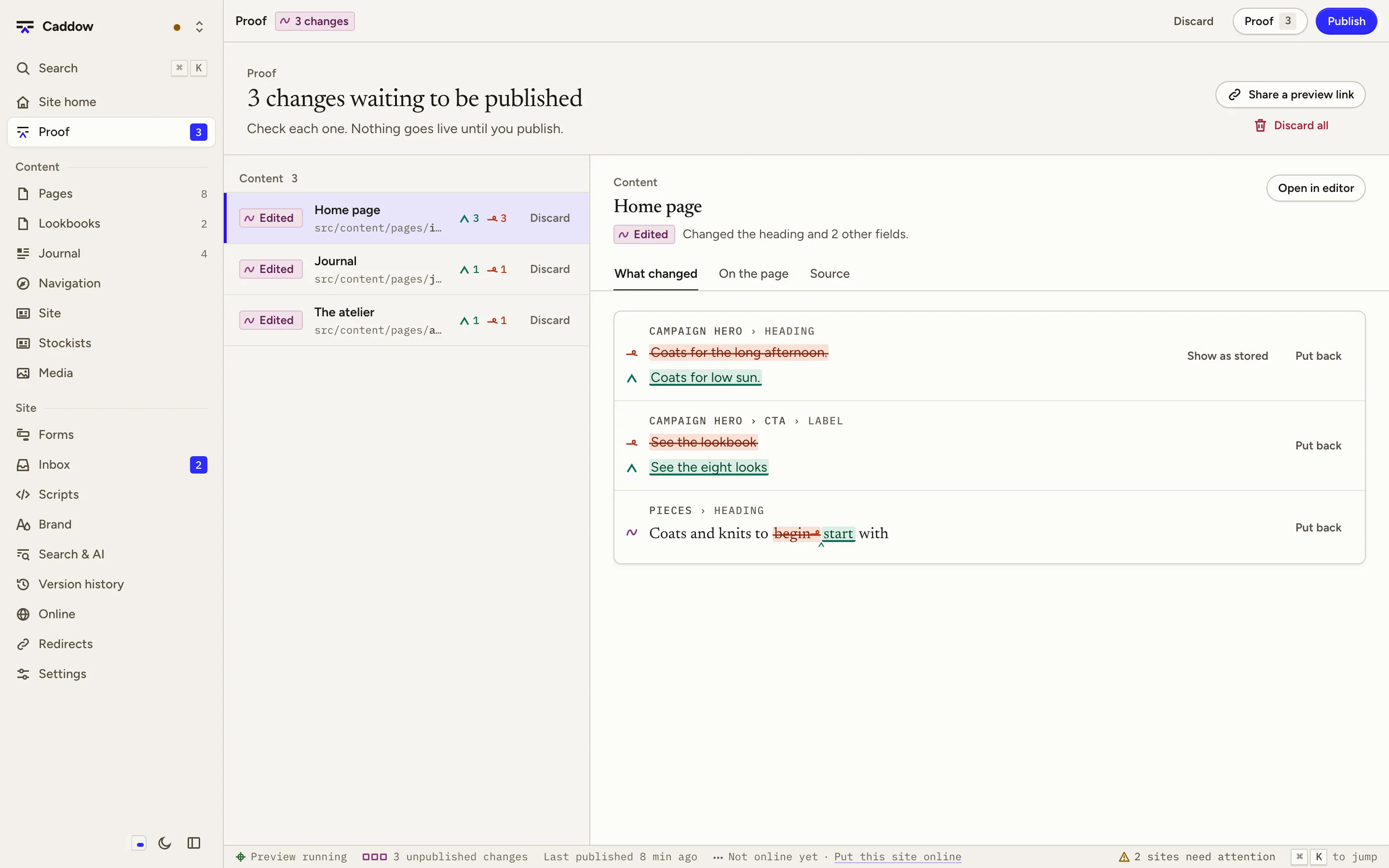
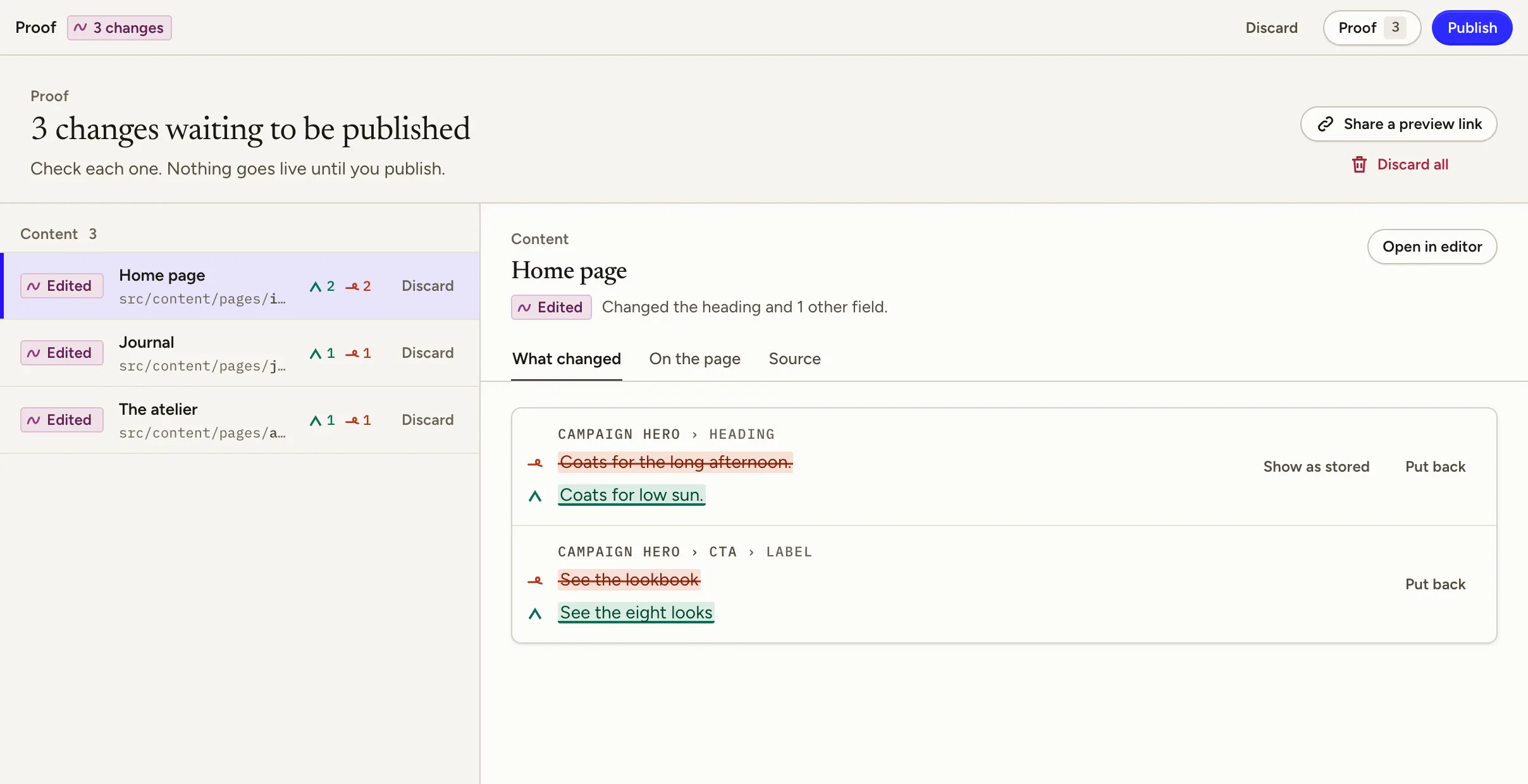
  1. Press Proof in the top bar. Choose a page on the left to see What changed, in the page's own words.

    Proof with 3 changes waiting to be published: Home page, Journal and The atelier on the left, each marked Edited; on the right the home page's changes in its own words — the campaign heading, its button and the Pieces heading — each with Put back.
  2. Press Put back beside a change you don't want. Discard on a row throws away every change to that page.

    You’ll see: What you put back returns to what is published; the rest stays waiting.

    Proof after putting one change back: the home page now lists two changes — the campaign heading and its button — and the Pieces heading is gone from the list; 3 pages still have changes waiting.
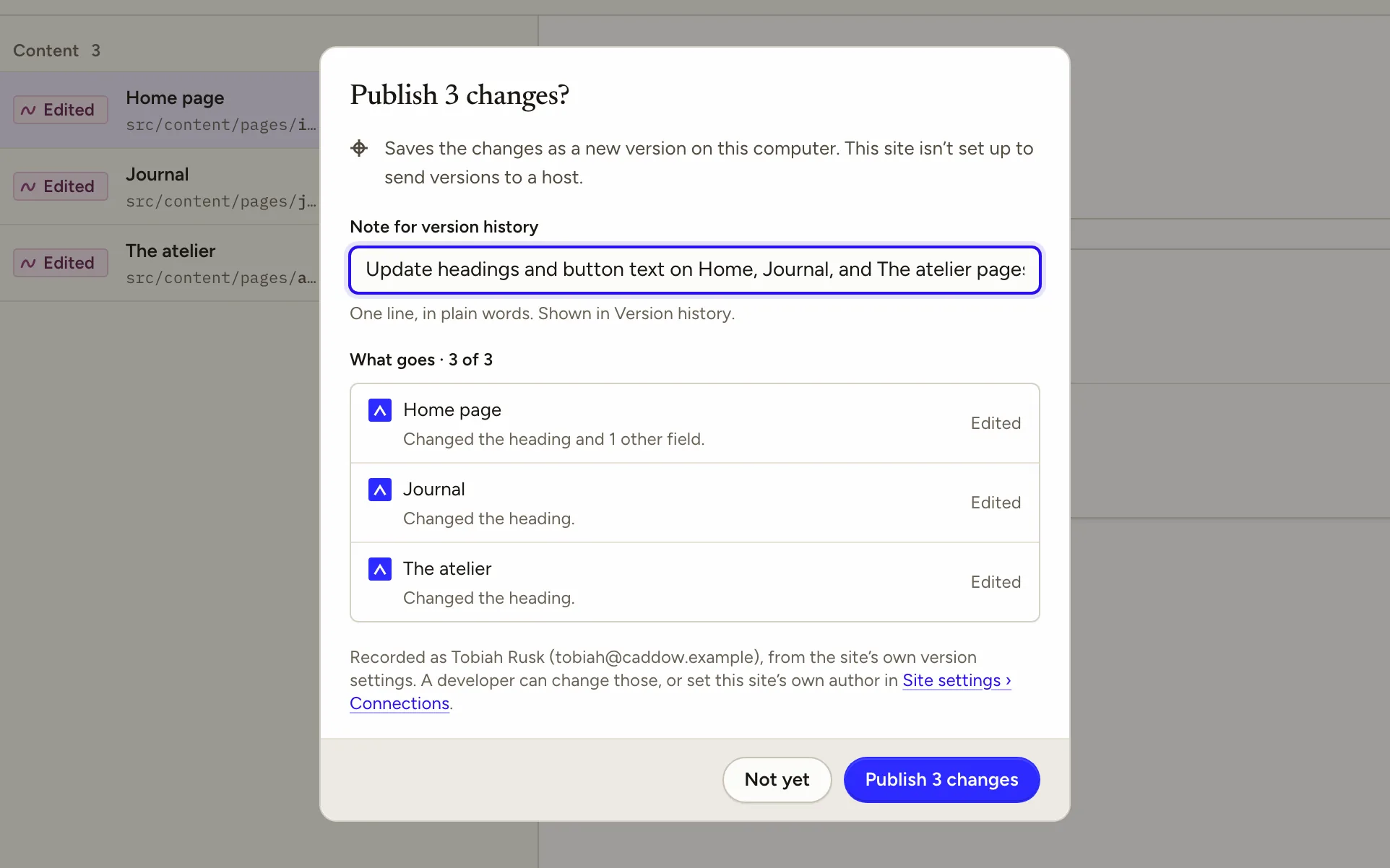
  3. Press Publish in the top bar. Check the Note for version history and, under What goes, untick anything to keep back. Press Publish 3 changes (the number is yours).

    You’ll see: Not yet closes the window and publishes nothing.

    The Publish 3 changes? window: it saves the changes as a new version on this computer, a suggested Note for version history, the three pages ticked under What goes — Home page, Journal and The atelier — and the buttons Not yet and Publish 3 changes.
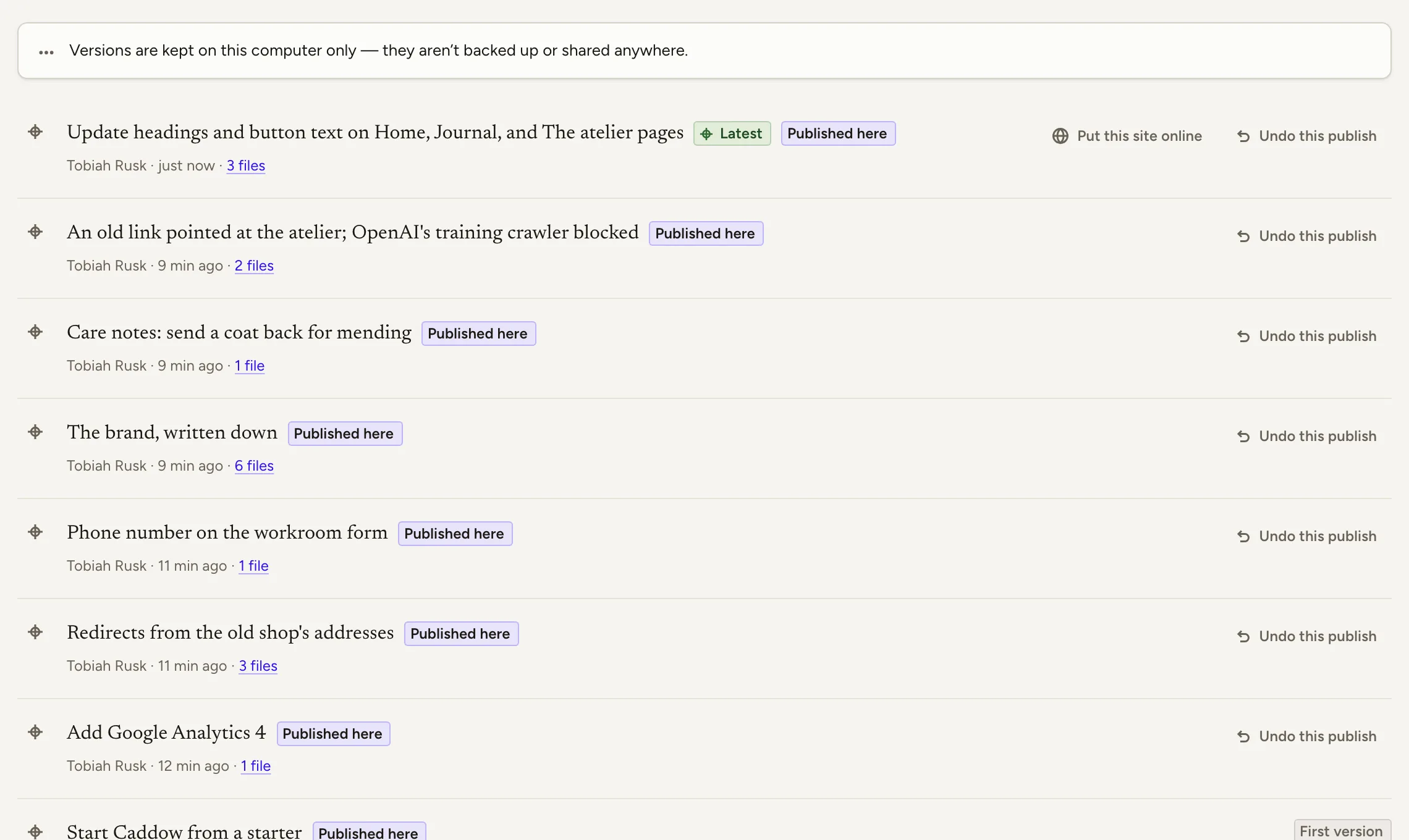
  4. Every publish is a new version in Version history, with who published it and when. To take one back, press Undo this publish beside it.

    Version history: the newest version, with the note written in the Publish window, marked Latest and Published here, by Tobiah Rusk just now, with Put this site online and Undo this publish; the earlier versions below it.
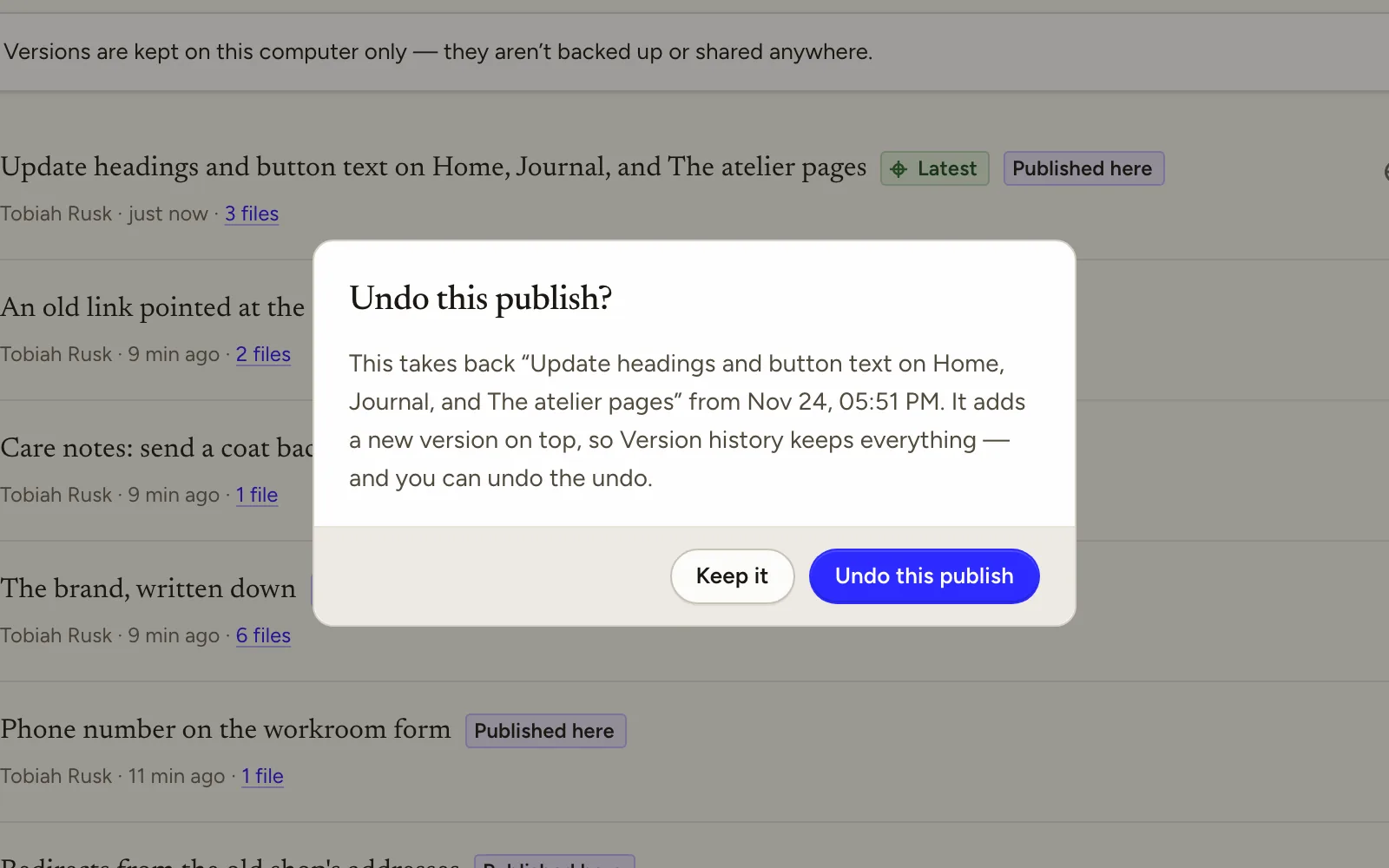
  5. Press Undo this publish to go ahead, or Keep it.

    You’ll see: The undo is published straight away as a new version called Undo “…”; undoing that one puts the changes back.
    The Undo this publish? window over Version history: it takes back the newest version and adds a new version on top, so Version history keeps everything; buttons Keep it and Undo this publish.