Ask the assistant for a change

Say what you want in plain words; the assistant makes the change and tells you exactly what it did.

Before you start The assistant connected (an Anthropic key in App settings).

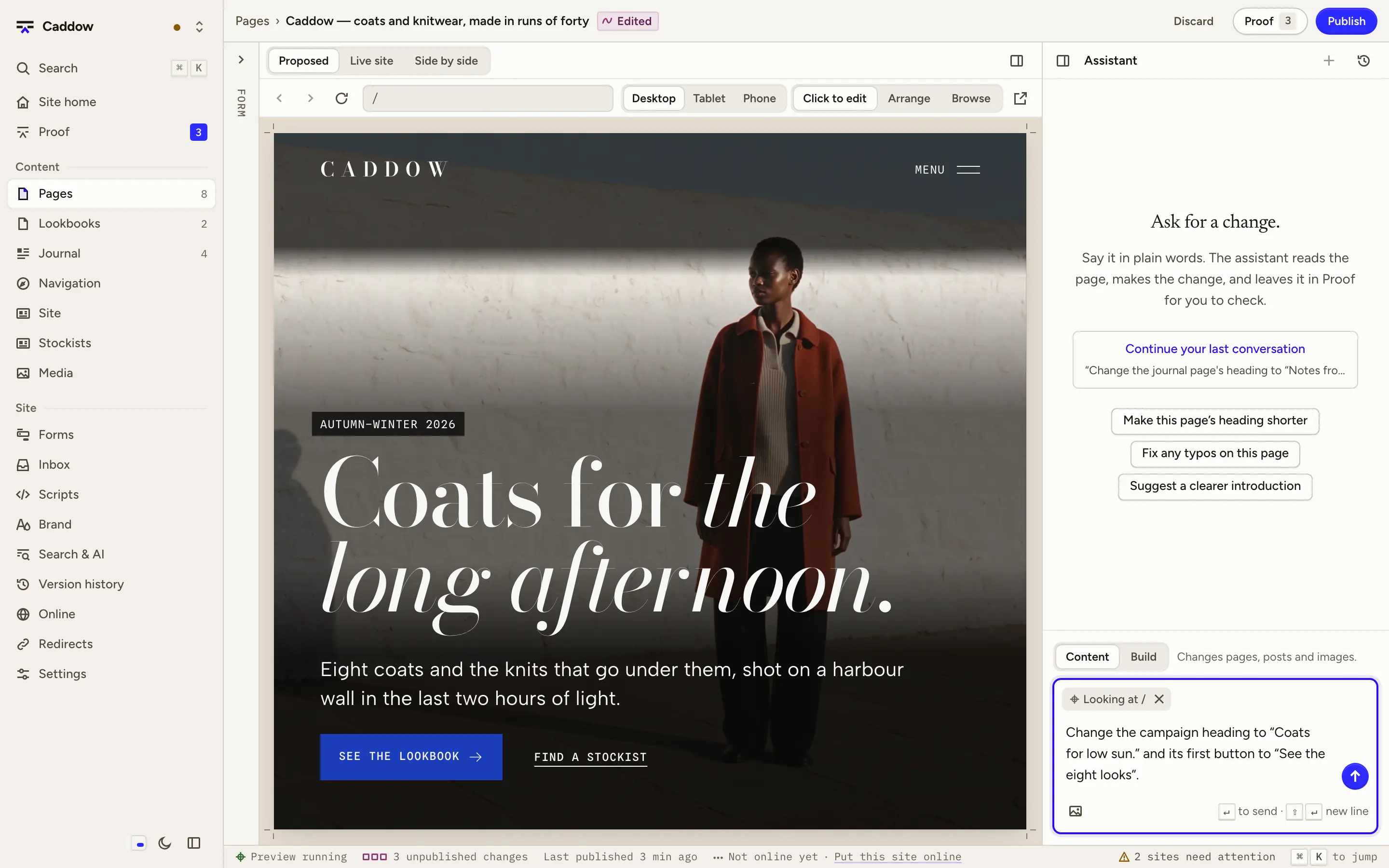
  1. Open the page in the editor. In the assistant pane on the right, type what you want in Ask for a change… and press Enter.

    You’ll see: Looking at shows the page you're on, so “this page” means it.

    The editor on the Caddow home page with the assistant pane on the right: under Looking at /, the request “Change the campaign heading to “Coats for low sun.” and its first button to “See the eight looks”.” typed into the box, with Content chosen.
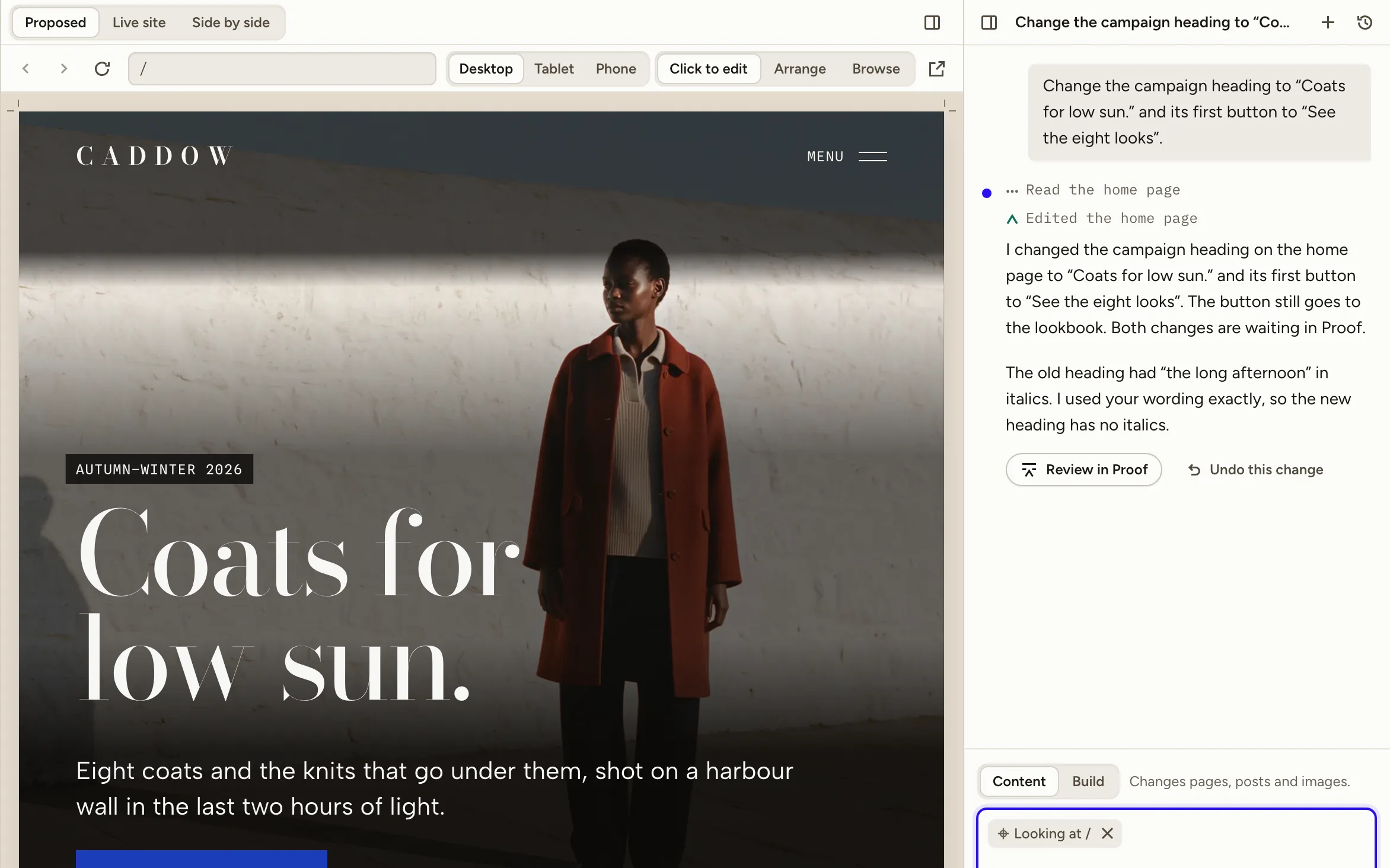
  2. Read what it did: it lists what it read and edited, then quotes the new words.

    You’ll see: Undo this change puts back exactly what that reply changed.

    The assistant's reply beside the page it changed: the lines Read the home page and Edited the home page, then what it changed, quoting the new heading “Coats for low sun.” and the button “See the eight looks”, with Review in Proof and Undo this change; the page shows the new heading.
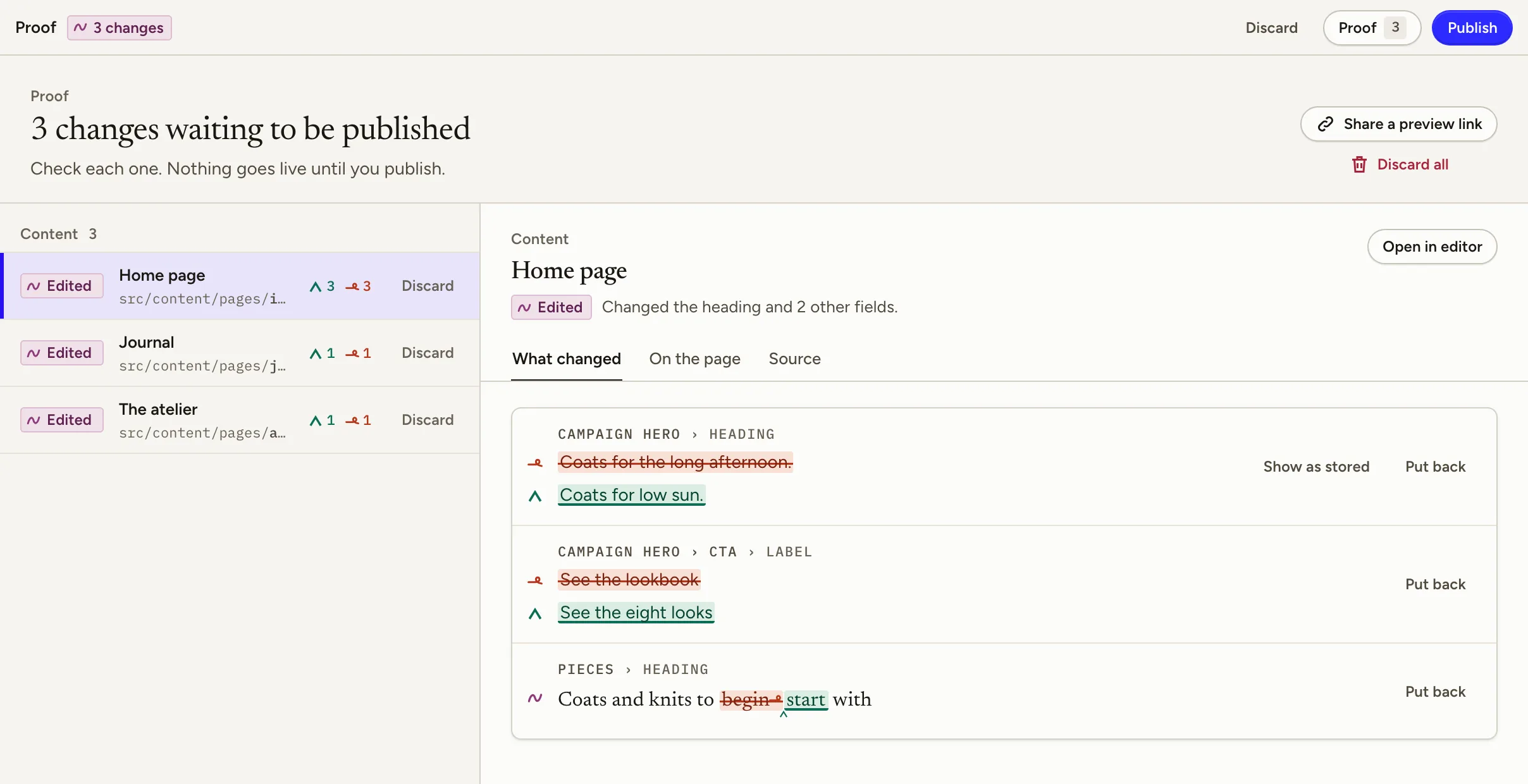
  3. Press Review in Proof to check the change in the page's own words; Put back undoes any one of them.

    You’ll see: Nothing the assistant does is live until someone presses Publish.
    Proof opened on the home page's changes: the campaign hero's heading and first button with the old words struck through and the new ones written in, each with Put back, among the changes waiting to be published.